
Last updated: September 24, 2026
If you make music, you already juggle platforms. A new single lands on Spotify, the video goes to YouTube, clips hit TikTok and Instagram, and merch or tickets sit somewhere else. Fans should not have to guess which destination matters this week.
Instagram has supported up to five native profile links since 2023, and other apps also give profiles more room than older guides suggested. Native links help. Artists still build a dedicated music bio hub because they need embeds, priority order, analytics, QR codes, and campaign workflows that plain profile fields cannot match.
This guide explains what people mean by “Linktree for musicians,” which features matter for artists, and when a campaign-focused hub like LinkX link-in-bio for musicians fits better than a commerce-first stack. See also best musician bio tools and LinkX vs Linktree.
Why your current bio setup can cost you streams
Independent artists often manage streaming, video, social promotion, ticketing, merchandise and direct fan communication across separate services. A native profile-link list can point to some of them, but it does not provide the same branded layout, content hierarchy and campaign reporting as a dedicated music hub.
Fans who prefer YouTube, Apple Music or Bandcamp may leave if their preferred destination is difficult to find. Fans may ask where to find the full release when the destination is not clearly presented. A music link page reduces that friction and keeps streaming, video, tickets and merch visible together during a release week.
What a Linktree-style page for musicians actually does
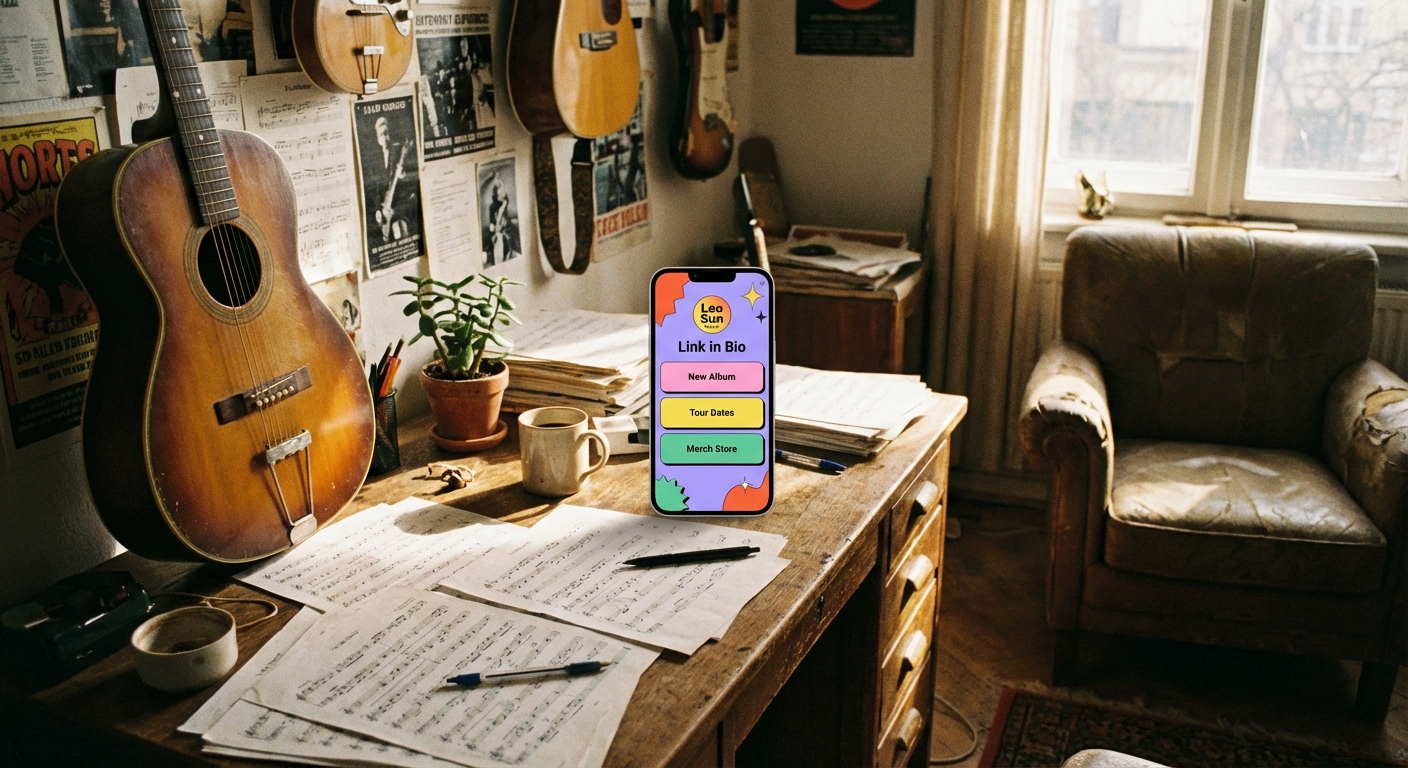
A music link-in-bio page is a landing page where your streaming, social, merch and tour links live. You put one primary URL in Instagram, TikTok or other bios. Fans tap and choose Spotify, Apple Music, YouTube, merch, tickets or a mailing list.
Some pages embed players so fans can listen without hunting. Setup time depends on artwork, embeds, tracking and the number of destinations you need. That flexibility matters when you release often and need the top button to change with every campaign.
Beyond a list of URLs, a good artist hub becomes part of your brand: artwork, colors and a clear hierarchy for the current single or tour. Keep one stable URL while buttons shift for pre-saves, release day, tours and merch.
Essential features every artist link-in-bio page needs
Musician needs differ from fashion or lifestyle creators. Prioritize:
- Streaming-friendly linking: Clear paths to Spotify, Apple Music, YouTube, Bandcamp and other services fans already use
- Optional embeds: Players that let people hear a track without leaving immediately
- Mobile-first design: Most social traffic is on phones; slow or tiny buttons lose fans
- Analytics: See whether Spotify, YouTube, tickets or merch earn attention
- QR codes: Bridge posters, stickers and merch tables to the same hub
- Campaign flexibility: Reorder links fast for pre-saves, release week and tour pushes
Most visits from social profiles happen on phones, so test every page, button, embed and QR destination on a mobile screen before publishing.
How bands and solo artists use these pages differently
A solo producer might lead with streaming, Patreon and a beat store. A full band may add member socials, a tour list and booking contacts. Branding should feel consistent with album art and posters.
Collaborations get messy. Some artists keep a main hub for core releases and temporary pages or top-of-page buttons for features and side projects. The goal is clarity: fans should never wonder which link is current.
Linktree vs LinkX for musicians: fair positioning
Linktree is a familiar creator hub and often feels clearer when native commerce and monetization blocks are the priority. Many artists start there because fans already recognize the format.
LinkX is stronger when you want a persistent branded hub plus campaign-oriented link management: short links, QR codes, analytics and flexible destination control across release cycles. Custom domains on LinkX are Premium-only; see LinkX pricing. Free, Starter and Pro do not include custom domains.
Neither tool is an automatic overall winner. If selling inside the bio page is your main job, evaluate Linktree’s commerce strengths carefully. If streaming destinations, tour pushes, QR and tracked campaigns matter more week to week, evaluate LinkX on those terms.
Linktree vs LinkX comparison table
Use this table as a starting map, not a permanent scorecard. The right choice depends on whether you prioritize native selling or campaign organization.
| Area | Linktree | LinkX |
|---|---|---|
| Primary emphasis | Creator hub and native monetization | Bio hub plus campaign-oriented link management |
| Streaming destinations | Supported through links and integrations | Links, embeds and organized release destinations |
| Short links | Available | Core product surface |
| QR codes | Available | Static and dynamic QR workflows |
| Commerce | Stronger native commerce offering | External commerce links and widgets |
| Campaign analytics | Creator insights and higher-tier analytics | Link, QR and campaign click analytics |
| Custom domain | Check current Linktree plan | LinkX Premium only |
| Best fit | Artists prioritizing native selling and familiar creator tools | Artists prioritizing links, QR codes and campaign organization |
Features and plan eligibility change. Verify both platforms’ current pricing pages before purchasing. Check Linktree pricing and LinkX pricing for the latest plan details.
Release-week page structure
Release weeks reward a clear button order. Keep the permanent hub URL, then reshuffle priorities from pre-save to release day to the week after. Put the current campaign’s primary objective near the top, whether that is a stream, pre-save, ticket, merch item or mailing-list signup.
Pre-save phase
- Pre-save or pre-add on Spotify and Apple Music
- Official video teaser or lyric clip on YouTube
- Mailing-list signup for release-day reminders
- Existing catalog highlights for new visitors
- Socials and community links lower on the page
Release day
- Primary stream button with the exact service label fans expect
- Embed or second stream destination for fans who prefer another platform
- Music video or visualizer
- Share prompt or playlist pitch if you use one
- Merch only if it supports the same release story
Week after release
- Keep the main stream button first while momentum continues
- Promote clips, remix stems or acoustic versions if available
- Move tickets or tour dates up when shows are confirmed
- Surface merch that matches the single artwork
- Archive expired pre-save language
Update captions and Stories to match the same top objective so CTAs stay consistent.
Smart links versus permanent bio hubs
Feature.fm, Linkfire and similar smart-link tools excel at release routing. They present a release across multiple streaming services and may route visitors using configured device, location or service rules for one single or album. That helps when the only job is converting an ad, press blurb or email into a stream.
A permanent bio hub solves a different problem. It stays in Instagram, TikTok, YouTube and your email footer year-round, holding tour dates, merch, a mailing list, older releases and community links beside the current campaign. Many artists use both: a smart link for paid acquisition around one release, and a branded hub as the always-on destination in profiles and printed materials.
If you already spend on smart links, keep them. Point social bios and QR codes at the hub so organic visitors still see the full artist story, not only one storefront redirect.
Click analytics versus completed streams or purchases
Hub analytics tell you which buttons earn attention. They do not prove that a stream finished or that a ticket sold. Treat click reports as an early signal, then reconcile them with platform dashboards.
A click is attention data, not proof of a completed stream, ticket sale or merch order. Compare hub reports with Spotify for Artists, Apple Music for Artists, ticketing dashboards and store analytics over the same dates. Use UTM parameters where the destination supports them, and change one major CTA at a time when testing page order.
High views with low clicks can indicate unclear labels, weak offers or a mismatch between the audience and the promoted destination. Low views may indicate limited promotion, weak placement or inconsistent use of the hub URL. If ticket links spike only after you move them first, keep that order during tour season.
Solo artist, band and label workflow examples
Solo artist releasing a single
A bedroom producer keeps one LinkX hub with a stable username. Before release week, the top button is a pre-save. On release day it becomes “Listen on Spotify,” followed by Apple Music, YouTube and a Bandcamp or beat store. QR stickers on merch point to the same URL. Weekly, the artist compares hub clicks with Spotify for Artists for the same window.
Band preparing a tour
A four-piece band uses the hub as a tour control panel. The top button is “Tour tickets,” then city links if needed, then the latest album stream, then merch. Member Instagram accounts share the same hub URL. After each market, the band reviews which ticket buttons performed and which cities need stronger Stories support.
Small label managing several acts
A boutique label maintains a master label page for catalog discovery and separate artist hubs for each roster name. Campaign short links and QR codes are created per release so press and street teams stay measurable. Custom domains, where used, stay on LinkX Premium. Button order is updated manually at each campaign milestone.
How to set up a music link-in-bio page
Setup time depends on artwork, embeds, tracking and the number of destinations. Use this checklist rather than racing a clock:
- List every place your music lives: Spotify, Apple Music, YouTube, SoundCloud, Bandcamp and others you actually use
- Add non-music priorities: merch, tickets, mailing list, Patreon, main socials
- Put the current campaign’s primary objective near the top, whether that is a stream, pre-save, ticket, merch item or mailing-list signup
- Sign up on your chosen tool and claim a simple username fans can remember
- Upload artwork that matches Spotify or Instagram so the page feels official
- Write a one-line bio such as “Indie rock from Brooklyn” or “Lofi beats”
- Add links with clear labels like “Listen on Spotify” or “Tour tickets”
- Preview on your phone, then paste the URL into every relevant bio
On LinkX, start from the link-in-bio product and keep the address stable while you swap campaign priorities. For more options, see the best link-in-bio tools for musicians guide.
Design tips that make your page look professional
An unchanged default template can make the page feel disconnected from the artist’s current release or visual identity. Branded pages signal that this release matters. Use high-contrast text, short button labels and artwork that matches your current era. Always test on a phone before you print a QR or announce the hub in Stories. Prefer specific labels such as “Listen on Spotify” or “May 12 tickets” over vague ones like “Music” or “Tour.”
Using QR codes to connect offline fans
You cannot paste a long URL onto a poster cleanly, but you can print a QR that opens your music hub. Fans at a merch table scan and land on streaming, tickets and signup links immediately. Make the code large enough to scan, add a short instruction such as “Scan to hear the new single,” and test iPhone and Android before you print a batch.
Dynamic QR workflows help when destinations change between pre-save and release day without reprinting posters. Static codes still work for evergreen catalog pages.
Tracking what works
Click data shows where attention goes. Review it weekly during a campaign and monthly between releases. Cut weak links and promote destinations that convert once you confirm outcomes in platform dashboards. Mention the hub URL in captions, YouTube descriptions, email footers and onstage talk so view counts stay healthy.
Common mistakes musicians make
- Setting the page once and never updating after release week
- Listing 20+ links so fans refuse to choose
- Using vague labels like “Click here”
- Checking design only on a laptop
- Forgetting to mention the hub in posts, descriptions and shows
- Treating hub clicks as proof of completed streams or sales without checking destination analytics
- Leaving expired pre-save buttons live after release day
Align the top button with the current goal: pre-save, release stream, tickets or merch drop.
Common questions about Linktree for musicians
What is a linktree-style page for music?
It is a single online destination that lists streaming services, socials, merch and tour links so fans can choose from one profile tap.
Why do musicians still need a bio hub if Instagram allows multiple links?
Native links help, but hubs add branding, embeds, analytics, QR and campaign control that profile fields do not fully provide.
Can I track clicks on artist links?
Yes. Most modern tools show clicks per destination. Use that data to reorder weak links, then confirm outcomes in Spotify for Artists, Apple Music for Artists, ticketing and store dashboards.
Are these pages free?
Many tools offer free plans for core linking. Paid plans add branding and advanced features. On LinkX, custom domains require Premium. Always verify current plan details on each vendor’s pricing page.
Should I use a smart link or a bio hub?
Use a smart link when a campaign’s only job is routing a fan to the correct streaming storefront for one release. Use a bio hub when you need a year-round branded destination for streams, tickets, merch, signup and QR. Many artists run both without conflict.
Is Linktree or LinkX better for merch-first artists?
If native commerce blocks and selling inside the page are the main jobs, Linktree’s commerce strengths are often clearer. If you mainly need organized store links, QR codes and campaign analytics around merch drops, evaluate LinkX on those terms. There is no overall winner for every artist.
List your streaming and campaign URLs, then build the page when your artwork and destinations are ready. When you want a free place to start, open LinkX, publish your hub and keep it updated every release cycle.