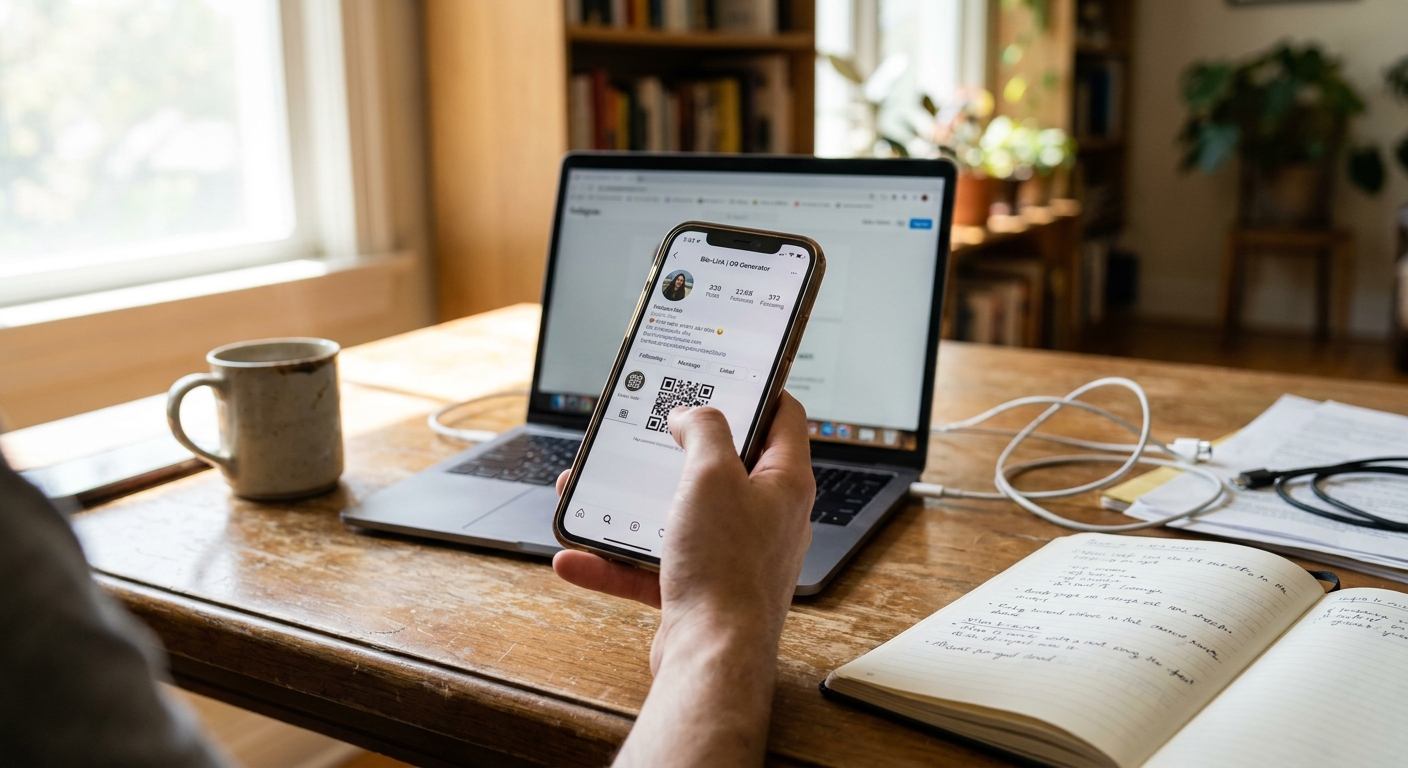
Why a QR Code URL Shortener Combo Saves Time and Space
Imagine running a bakery and printing 500 menu cards with a web address so long it spills across three lines. Customers have to type in 47 characters just to look at your dessert list. Most give up halfway through. This is a hassle nobody wants. The owner needed both a short, easy-to-type link and a scannable code, but the tools she tried made her create each one separately. She spent an hour switching between apps, copying links, and making sure everything matched up.
That’s where a QR code URL shortener combo changes everything. You paste your long web address into the tool, and in one step, you get a short link plus a matching QR code. No need to log in twice or paste the same URL over and over. According to Statista, worldwide QR code use shot up by more than 300% between 2018 and 2022, thanks to small businesses wanting quick, mobile-friendly ways to connect with customers. When you combine that popularity with a short link, your message works in print, on screens, and even in text messages—without eating up space.
This combo comes in handy when you’re short on room. Business cards, product labels, social media bios, and table tents all look cleaner with a short link. A QR code tucks neatly into a corner. A short link fits on a single line. Together, they give your customers options: scan or type. A QR code and URL shortener combo lets you serve both crowds without doubling your work.
How a Short Link QR Code Works for Local and Online Shops
With a short link QR code, you start with a long URL for your shop, menu, booking page, or product list. The tool transforms your link into something like linkx.ee/bakery23, then creates a QR code that leads to the same place. If a customer scans the code, they land on your page. If they type the short link, they get there too.
This setup helps small businesses in three key ways. First, it saves space on anything you print. A short link fits easily on a receipt, sticker, sign, or single line of text and avoids awkward wrapping. Second, it lets you track results. Most URL shorteners with QR code features show you exactly how many people click the link or scan the code. You can see which method works best and update your marketing with real data. Third, it cuts down on mistakes. Long URLs full of slashes and question marks are easy to mess up, but a short link is much simpler to type.
Here’s a real example: A coffee shop owner put a short link QR code on every table. Customers scanned it to check the loyalty program and daily specials. The owner watched the dashboard and saw scans double on rainy days, when people lingered indoors. She started saving her best deals for those days, and sign-ups climbed 18% in two months. The combo gave her everything she needed: a tool to reach people and the numbers to make smart decisions.
Create Short Link and QR Code in One Dashboard
Most platforms that offer a URL shortener with QR code feature put everything you need on one screen. You log in, paste your long link, and with one click, the tool gives you a shortened URL and a QR code you can download right away. Pick your file type, like PNG or SVG, and adjust the size to fit your design. Some let you customize the short link to match your brand—like linkx.ee/yourshop instead of a random jumble.
When you create a short link and QR code at the same time, you avoid problems like mismatched versions. If you make the QR code first and then shorten the link separately, they might send customers to different pages. This confuses people and makes your traffic data messy. Using a combo tool ties everything to one destination, so your analytics stay clear and updates are quick. If you ever need to change where your link goes, just update it once—the QR code and short link both point to the new page.
Tools like Linkx.ee make the process fast, even if you have zero design or tech skills. Paste your link, pick your settings, and you’ll have a QR code ready to download in seconds. You also get a dashboard that tracks clicks, scans, and device types, so you know how your customers are connecting—whether they’re on phones, tablets, or computers.
When to Use a URL to Short Link and QR Code Tool
A URL to short link and QR code tool is perfect when you need to reach people both online and in person. Print materials are the most common spot: business cards, flyers, posters, packaging, and table tents all look cleaner with a short link and a scannable code. The short link is your backup if the QR code gets scratched or someone prefers typing, while the QR code is for anyone whose phone is already out.
Social media bios are another great fit. Platforms like Instagram and TikTok only let you put one link in your profile. A short link makes the most of that space, and you can add a QR code to your posts or stories for followers who prefer scanning. For example, a clothing brand with a small online shop might use a short link in their Instagram bio and add a QR code to their story highlights labeled 'Shop Now'. Even if someone misses the bio link, they can still scan the code and end up on your shop page.
Events and pop-up shops also need both options. A vendor at a farmer’s market could print a QR code on a sign next to their booth and add the short link to every receipt. Customers who are browsing can scan the code right away to see the full product list or order for next week. Those who take a receipt home can type in the short link later, when they decide what to buy. According to HubSpot, 64% of consumers say they’re more likely to connect with a brand that offers more than one way to reach them, which is exactly what a QR code and URL shortener combo provides.
Tracking Scans and Clicks Without Extra Tools
The best QR code and URL shortener platforms come with analytics built right in. You can see how many people clicked the short link, how many scanned the QR code, and when each happened. Some dashboards even show you which device was used, where in the world the action happened, and if a click came from social media or a website.
This info helps you figure out which channels actually get results. For example, if you print 200 flyers with a QR code and also share the short link in an email, you can compare scan counts to click counts. If hardly anyone scans the code, maybe it needs to be bigger or moved somewhere more obvious. If the link doesn’t get many clicks, try a stronger call to action in your email. The combo tool gives you all the numbers in one place—no more juggling different apps or spreadsheets just to see what worked.
One gym owner used this method to test two types of membership flyers. One had a big QR code at the top and a short link at the bottom. The other had a small QR code off to the side and the short link bold in the middle. She handed out 100 of each. The flyer with the big QR code got 43 scans; the one with the bold short link got 31 clicks. She saw that her customers liked scanning, so she redesigned her next flyers to make the QR code stand out even more. Without the combo tool, she would have been guessing instead of using real numbers.
Customizing Your Short Link and QR Code for Brand Consistency
Plain short links and standard black-and-white QR codes work, but they don’t help people remember you. A custom short link uses your business name or a word related to your offer, like linkx.ee/pizza or linkx.ee/bookings. When customers see that on a flyer or in a text, they know it’s yours. With a branded QR code, you can add your logo, swap in your brand colors, or even tweak the shape to match your style.
Personalizing also builds trust. A random jumble of letters can look like spam. A short link with your business name feels official. A QR code with your logo in the center reassures customers that it’s safe to scan. One restaurant owner put her logo in the middle of her QR code and matched the background color to her menu. Regulars recognized it right away and felt good about scanning it instead of a plain black square.
Most platforms with a QR code URL shortener combo let you tweak the design before you download. Change colors, drop in your logo, and set the error correction level—which controls how much of the code can still be read if some of it gets smudged. The higher the error correction, the more design you can add without messing up the scan. If you’re printing on textured paper or a curved package, a higher level helps your code work even if it gets a little damaged.
Avoiding Common Mistakes When You Create Short Link and QR Code Tools
The biggest mistake is making your short link and QR code separately and forgetting to connect them to the same page. This splits your traffic and makes your data confusing. Always use a combo tool that creates both from the same source link—so when you need to update, you only have to change the link once.
Another common problem is printing the QR code too small. It might look crisp on your screen but turn into a blur on paper. Always test your QR code at the real size before printing hundreds of copies. Hold your phone like a customer would and see if it scans in two seconds or less. If not, make the code bigger or boost the contrast between the dark and light parts.
A third issue is using a short link that expires or gets deleted. Some free shorteners remove links after a few months with no clicks. If you print that on business cards or product labels, your link could stop working long before you use up your supplies. Pick a platform that keeps your links active as long as your account is open and check the rules before you choose a tool.
Don’t forget to test both the short link and the QR code before you hand them out. Type the link into your phone and computer. Scan the QR code with two or three different phones if you can. Some older models have trouble with certain QR code styles or colors, so testing helps you catch any problems before your customers run into them.
Where to Place Your QR Code and Short Link for Maximum Reach
Where you put your QR code and short link depends on where your customers spend their time and how they interact with your business. For in-person shops like cafes, salons, or stores, put the QR code near the register, on product packaging, or on table displays. Add the short link to receipts, business cards, and anything customers take home. This way, people get two ways to visit your page: once while they’re in your shop and again when they look at their receipt or card later.
For online businesses, use the short link in your email signature, social media bios, and any posts where you share your products or services. Add the QR code to Instagram stories, Facebook posts, or any other visual content where people might want to screenshot and scan the code later. For example, a jewelry maker added a QR code in her Instagram highlights labeled 'Shop'. Followers could tap the highlight, screenshot the code, and scan it from their camera roll any time—even after the 24-hour story ended.
For printed ads, flyers, and posters, put the QR code where people’s eyes naturally go, like the top right corner or next to the main headline. Make sure the code stands out against the background and isn’t covered by any other design. Place the short link underneath the code or in a separate spot, so anyone who prefers typing has a clear option.
Common Questions About QR code URL shortener combo
Why use a QR code and short link together?
A QR code provides a quick scan for mobile users, while a short link offers a type-friendly option for print or digital sharing. This combination ensures your audience can easily reach your destination, no matter how they prefer to connect.
Can I track how many people scan my QR code?
Yes, most QR code URL shortener tools include built-in analytics. These dashboards show you how many times your QR code was scanned and your short link was clicked. This data helps you understand what marketing efforts are working.
How do I customize my short link and QR code?
Many platforms let you change the design of your QR code by adding a logo or brand colors. You can also customize the short link itself to include your business name or a relevant keyword. Personalization helps your brand stand out and builds trust with customers.
What if my QR code or link stops working?
Using a reputable combo tool ensures your links remain active as long as your account is valid. If you need to change the destination, you only update it once, and both the QR code and short link will point to the new page. Always test your codes and links after creation to confirm they work.
What to Do Next
If you want to save time and make sharing links easy, start by picking a platform that gives you a QR code URL shortener combo in one place. Sign up, paste your long link for your shop, menu, or booking page, and create both the short link and the QR code together. Download the QR code in a high-res format like PNG or SVG, and keep your new short link handy in a text file or spreadsheet.
Next, test your new short link and QR code on several devices. Type the link into a browser on your phone and computer. Scan the code with your phone camera to make sure it loads the right page. If you’re printing the code, print a test page at the real size and scan to check the quality.
Then, add your short link and QR code to your most important materials. Local businesses should start with business cards, receipts, and table displays. Online shops can update Instagram bios, email signatures, and product pages where customers might want to share the link. Watch the scan and click data in your dashboard over two weeks. Use that info to decide where to put the code next and which format your customers like best. If you’re ready to try it yourself, you can start with Linkx.ee’s QR code and short link generator to see how simple it can be.