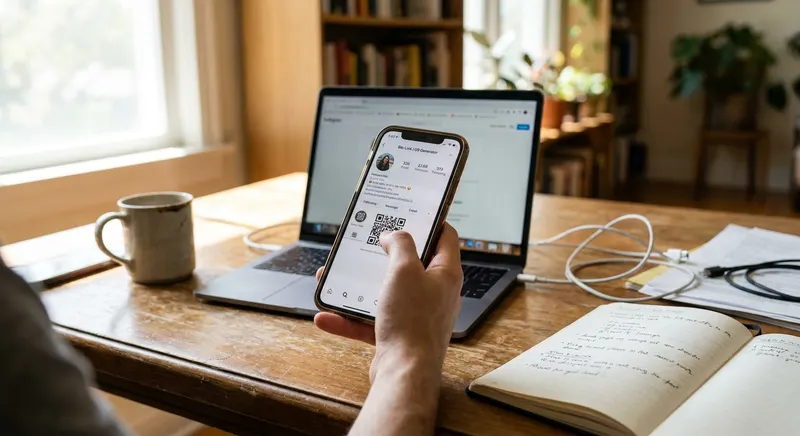
What Is a Bio Page and Why Does It Keep Showing Up Everywhere?
Ever wondered why everyone on social media says 'link in bio'? Maybe you’re on TikTok, and a creator talks about a discount and tells you to check the link in their bio. You hit their profile and see a single clickable URL. Tapping it takes you to a page with buttons like Shop, YouTube, Discord, Spotify, or Book a Call. That’s a bio page. It’s not their main website or the social platform itself. Instead, it’s a simple landing page—a bio page—that holds all their important links in one spot.
If you’ve ever asked, what is a bio page? It’s a single page that lists multiple clickable links, all tied to a short URL you put in your social media bio. Instead of always picking just one link, you use a bio page to let followers choose from all your stuff. No more swapping out your bio link every time you have something new to share. This is the heart of the bio page definition—one page, all your links, easy for your followers.
What Problem Does a Bio Link Page Actually Solve?
Most social media profiles only let you add one link. Instagram? One. TikTok? One. Twitter (or X)? One. If you’re a musician, maybe you want to share your music, your merch, your tour dates, and your Patreon—all at once. But you can’t stuff four links into a single slot.
People used to get around this by editing their bio link every few days. New YouTube video? Change the link. Launching a product? Change it again. It was a hassle, and anyone visiting at the wrong time might miss what they wanted. There was no way to show all your important links at once.
This is where a bio link page comes in. It acts as a bridge. You get one short link for your bio, and that opens a page with as many buttons as you need. Each button can go to a different site—your shop, your latest video, your booking link, anything. You can add, remove, or rearrange links whenever you want, without ever touching your Instagram or TikTok profile again. According to HubSpot, 46% of marketers say keeping links up to date is one of their biggest headaches. With a bio page, that headache is gone.
How Do Bio Pages Work? Bio Link Page Explained Simply
The basic idea is easy. Sign up for a bio page service, like Linkx.ee. You get a custom URL, such as linkx.ee/yourname. Inside your dashboard, you add buttons, each with a title and a destination link. Put your YouTube at the top, your store second, your email signup third, and your latest blog post fourth—whatever order you want.
Once your page is ready, copy your short linkx.ee URL and paste it into your Instagram or TikTok bio. Now, when someone taps the link, they land on your bio page and see all your buttons. They can choose what they care about. You can see which buttons people click the most and update your page as often as you like, all without changing your social media profile link again.
Most tools let you change backgrounds, button colors, fonts, and even add a profile photo. Some let you embed videos, images, or text blocks. Your bio page can look like a mini version of your brand—even if you don’t know how to code.
Who Uses Bio Link Pages and Why?
Bio pages started as a tool for influencers and creators, but now almost anyone can use them. Here’s who’s using bio pages, and what they get out of it.
- Content creators and influencers: They use bio pages to connect fans to all their platforms. For instance, a beauty creator might link to YouTube tutorials, their Amazon storefront, Instagram Reels, and brand deals all in one spot. This way, their audience never misses out on anything new or old.
- Small businesses and freelancers: For many, a bio page is like a mini-website. A photographer might link to their portfolio, booking calendar, price list, and contact form. A bakery could link to their menu, online orders, Google Maps, and Instagram. It’s quick to set up, easy to update, and doesn’t require any web design skills.
- Musicians and artists: They share streaming links for Spotify, Apple Music, YouTube Music, and SoundCloud, along with merch stores and concert tickets. Instead of forcing fans to use one platform, they let listeners choose. A 2023 IFPI report says 46% of music listeners find new artists through short-form video, so a smart bio link is key for turning views into streams.
- Nonprofits and community groups: They use bio pages for donation links, volunteer sign-ups, event calendars, and resources. If there’s a new campaign or event, the page can be updated in seconds.
- Students and job seekers: A bio page works like a digital resume. Link to LinkedIn, portfolio sites, GitHub, and contact info—all in one clean link, perfect for sharing during networking or job hunts.
What Makes a Good Bio Page vs a Bad One
Not every bio page works well. Some get clicks, others get ignored. Here’s how to make yours stand out.
- Fast loading matters. If your page takes more than two seconds to show up, people will leave. Keep images small and skip heavy animations.
- Clear button labels win. Instead of 'Click Here,' use labels like 'Shop My Favorite Products' or 'Watch My Latest YouTube Video.' Tell people exactly what each link does.
- Match your brand. Use the same colors, fonts, and style as your social profiles. If your Instagram is all pastels and soft fonts, your bio page should look similar. Consistency builds trust.
- Don’t overload with links. If you have twelve buttons, most people won’t click anything. Stick to five or six main links. Swap them out as your priorities change.
- Update your page. If your top link still promotes a sale that ended months ago, people will notice. Keep everything current and remove broken or outdated links.
Free vs Paid Bio Page Tools—Which Should You Choose?
Most platforms offer both free and paid versions. The free plan usually gives you a basic page with some limits and the service’s branding in the URL. You might get something like tooltool.com/yourname instead of your own custom web address.
Free plans let you add unlimited links but may limit custom fonts, email captures, analytics, or scheduling links. For students, hobbyists, or anyone new to the idea, free plans do the job. You can set up a working bio page in minutes and start sharing it right away.
Paid plans let you remove the service’s branding, use a custom domain like links.yourname.com, access detailed click stats, try different button layouts, and connect email marketing tools. Some even let you embed social feeds, sell products directly, or add booking forms right to your bio page.
If you want to see what a bio link page can do, start with a free plan. But if you run a business or care about your personal brand, a paid plan gives you more control and better features for growth.
How to Set Up Your First Bio Page in Less Than 10 Minutes
Ready to try it out? First, pick a bio page platform. Linkx.ee has free bio profiles you can customize with no coding needed. Sign up with your email or social profile and pick a username that matches your brand or real name, since it’ll be part of your URL.
Add your first link. Hit the button to make a new link, give it a clear title like 'My YouTube Channel' or 'Shop My Store,' and paste the destination URL. Save it. Repeat for each link—three to five is a great start. You can add more later.
Make it look like you. Change background and button colors, fonts, and add your profile photo. Use colors that match your brand and always preview on mobile, since most people will visit from their phone.
Copy your bio page URL, which should look like linkx.ee/yourname. Go to Instagram, TikTok, or wherever you want to share it. Edit your profile, paste the bio page URL in the website field, and save. Tap the link yourself to make sure it works.
Common Mistakes People Make With Bio Pages
Lots of new users fall into similar traps. Avoid these, and your bio page will do better from day one.
- Weak button labels: 'Link 1' and 'Link 2' don’t help anyone. Make sure every button clearly says what it does, using action words like 'Watch,' 'Shop,' 'Read,' 'Join,' or 'Download.'
- Too many links: The more buttons you have, the more likely people will skip all of them. Stick with your top three to five and swap them out as your projects change.
- Neglecting mobile design: Over 90% of social media users are on their phones (see Statista). If your bio page doesn’t look good on mobile, you’re ignoring almost everyone. Always check your page on your phone.
- Not updating: Your bio page should show what you’re working on now. If you’ve got a new product, podcast, or event, move that link to the top. Remove anything that’s outdated.
- Ignoring analytics: Most bio page tools show you which links get the most clicks. Pay attention to those numbers. If one link gets 200 clicks and another gets five, you know what your audience likes. Focus on what works, and improve or remove what doesn’t.
Common Questions About what is a bio page
What is a social media bio page?
A bio page is a single landing page that holds all your important links in one place. You place a short, unique URL from this page into your social media profile, allowing followers to access multiple destinations like your shop, videos, or other platforms. It solves the problem of social media profiles only allowing one clickable link.
Why use a bio page on social media?
Bio pages help you share all your important content without constantly changing your profile link. Instead of picking just one link, you can show off your latest video, products, services, or events all at once. This makes it easier for your audience to find exactly what they’re looking for.
Are bio page services free to use?
Many bio page services offer free plans, which are great for getting started. These usually provide a basic page with essential features and the service’s branding. Paid plans offer more customization, analytics, custom domains, and additional advanced features for businesses or personal brands.
How do I make a bio page?
First, choose a bio page platform like Linkx.ee and sign up. Then, add your profile photo and customize the design with your brand colors and fonts. Finally, add your desired links with clear labels, copy your unique bio page URL, and paste it into your social media profiles.
What to Do Next If You Want to Try a Bio Page
If you’re ready to make your own bio page, start by listing your top three to five links. Write out simple, clear labels for each. Think about what you want visitors to do when they visit your profile.
Sign up for a free bio page tool like Linkx.ee and follow the steps above to create your page. Take a few minutes to choose your colors and upload a profile photo so the page really feels like yours. Then copy your new bio link and add it to your Instagram, TikTok, or wherever you want people to find you.
Once you have your new link up, share a post or story pointing people to your bio page. Try saying, 'All my links are in my bio,' or 'Tap the link in my bio to see everything I’m working on.' Check back in a few days to see which buttons get the most clicks. Use that info to adjust your page and keep improving it.
Bio pages aren’t complicated. They answer the question, what is a link in bio page, by giving you a simple tool to share everything in one place. Once you set one up, you’ll find it saves time and works way better than swapping out links every week.